Discovery Exports
The Exports page allows a user to view their exported audits as well as retrieve bulk downloads and metadata exports they've created. If they wish to cancel an export in progress, they simply need to hit the Stop button. If the export process already completed, the user will be informed and will have the option to delete the file.
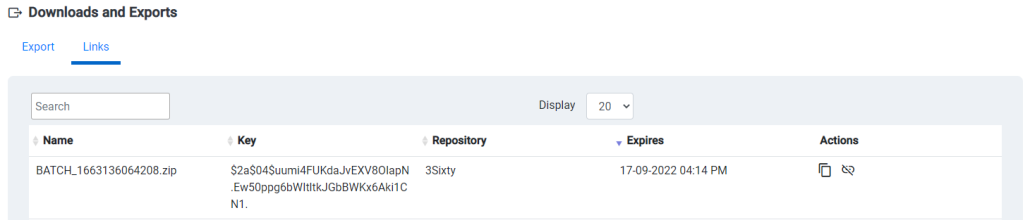
It also offers the ability to create public download links for any file they have access to. They can view these links in the Links tab, and can expire them early. Links created by the user through the Public Downloads Links will also appear here.
Metadata Exports
When you select Metadata Export you are given the option to export the metadata of any selected documents or all of the documents in your search results.
-
Download Files with XML: This option will batch the selected files with the metadata export as a zip file. If selected you will have two options Download selected documents: Download only the currently checked documents Download all searched documents: The current search will be executed again and all returned documents will be downloaded.
-
Use EDRM Format: The Electronic Discovery Reference Model (EDRM) is a framework that outlines standards for the recovery and discovery and of digital data.
-
Comment: Will add a comment to the "message" section of the xml export
Click submit to have 3Sixty compile the download file. Once complete the file can be found in the Exports page for future use.
Public Download Links
These links will allow anyone with the link to download the file until the link expires. You can expire the link early, by chosing iven the option of 1,3 or 7 days as an expiration date for the link.
Related Articles