OpenAI Embedding
Objective 3Sixty supports creating Embeddings by using OpenAI Embeddings Task. Embeddings can be used to enable Clustering, Semantic Search and many other NLP tasks. The Objective OpenAI Embedding task can be used by any "OpenAI Like" servers and not just OpenAI. That is to say, any server providing an interface similar to that of OpenAI can be used with this task.
Configuration
To use this task go to the task tab in your job. Select the task from the drop down and click the plus circle to configure the task. Click done after making any changes to save.
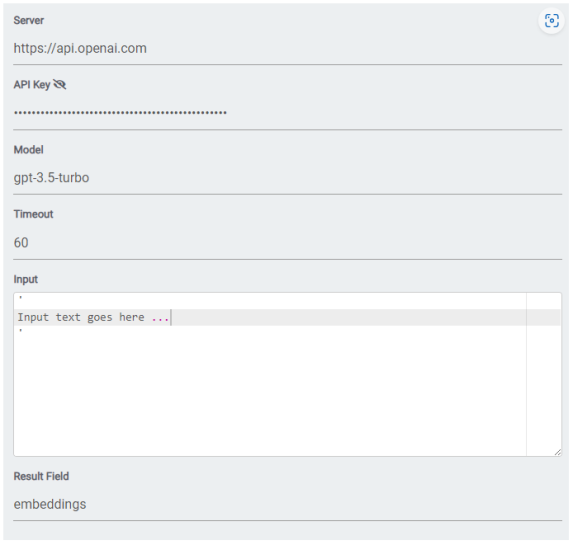
To create Embeddings, the following parameters must be provided.
Condition check
It will execute the task when the condition's result is 'true', 't', 'on', '1', or 'yes' (case-insensitive), or run on all conditions if left empty. This condition is evaluated for each document, determining whether the task should be executed based on the specified values.
Example: If I only want to run this task for PDF documents I would use the expression: equals('#{rd.mimetype}',"application/pdf")
AI Authentication
Select the API Key Authentication connection that has the Server and API key you want to use for this task.
Embeddings Path
The endpoint for the embeddings API.
Model
If the server requires a model name (in case of servers supporting many models) it must be provided
Input
The text we want to extract embeddings from (must be a 3Sixty expression language)
Timeout
Server timeout in seconds
Result Field
Result field containing the embeddings to be added to the document
Examples
Here is an example of using this task: